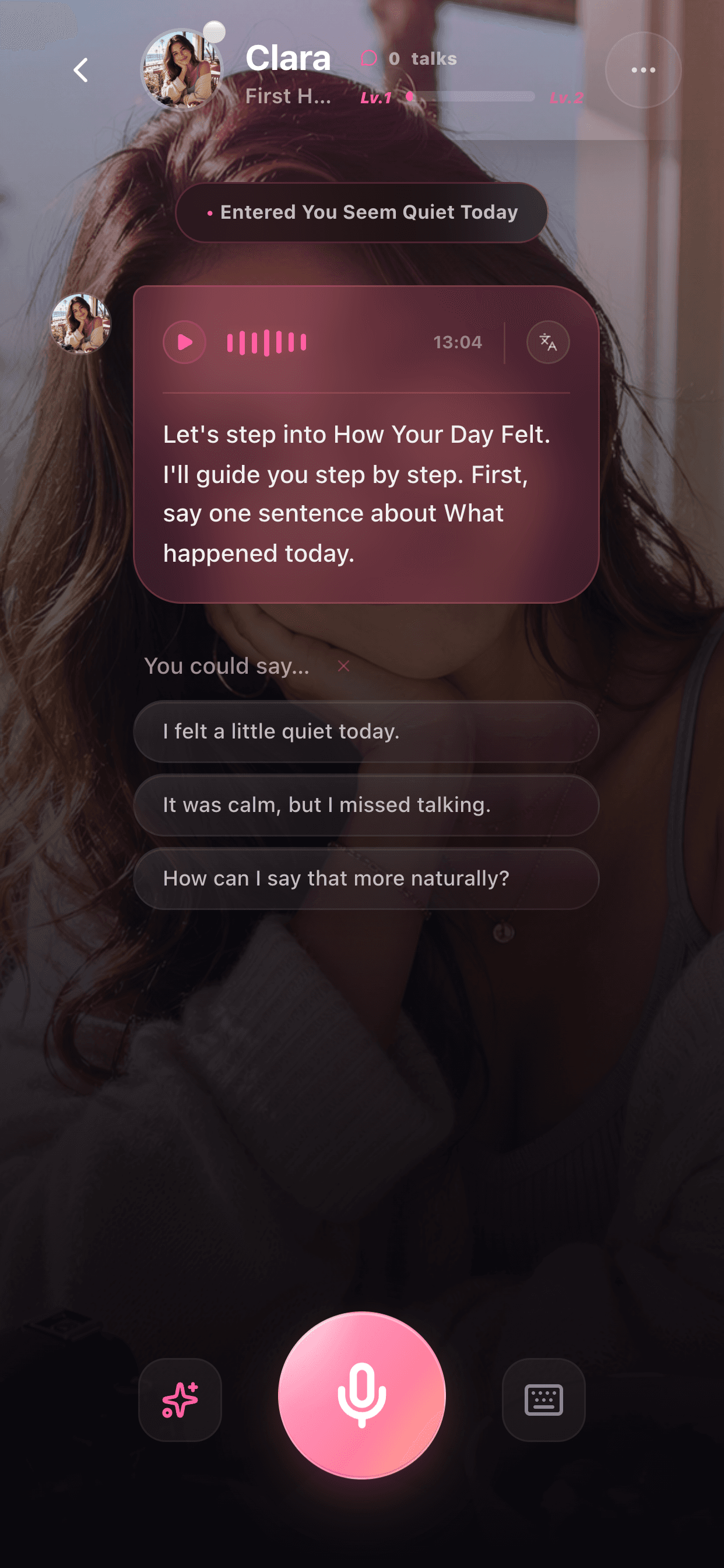
Guided chat screen
A voice-first chat flow where learners answer companion prompts.
Conversation Examples
These examples show the shape of a Sweetalk session: a low-pressure prompt, a spoken learner answer, a natural companion reply, and one useful improvement.
Available on the App Store for iPhone in 24 countries and regions
Real app screens
Screenshots make each guide more concrete for learners and give search systems stronger product-specific context.
A voice-first chat flow where learners answer companion prompts.
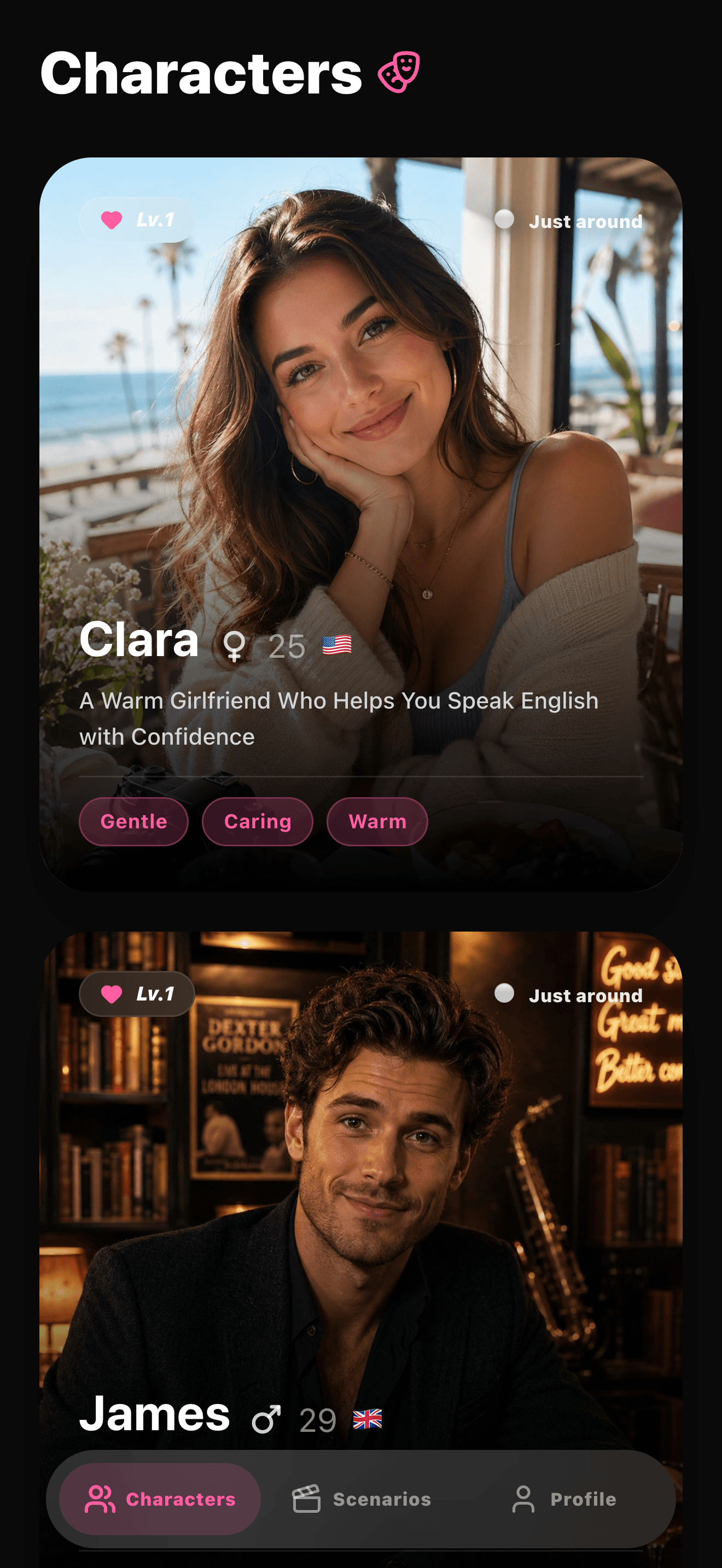
Learners choose a companion voice before starting conversation.
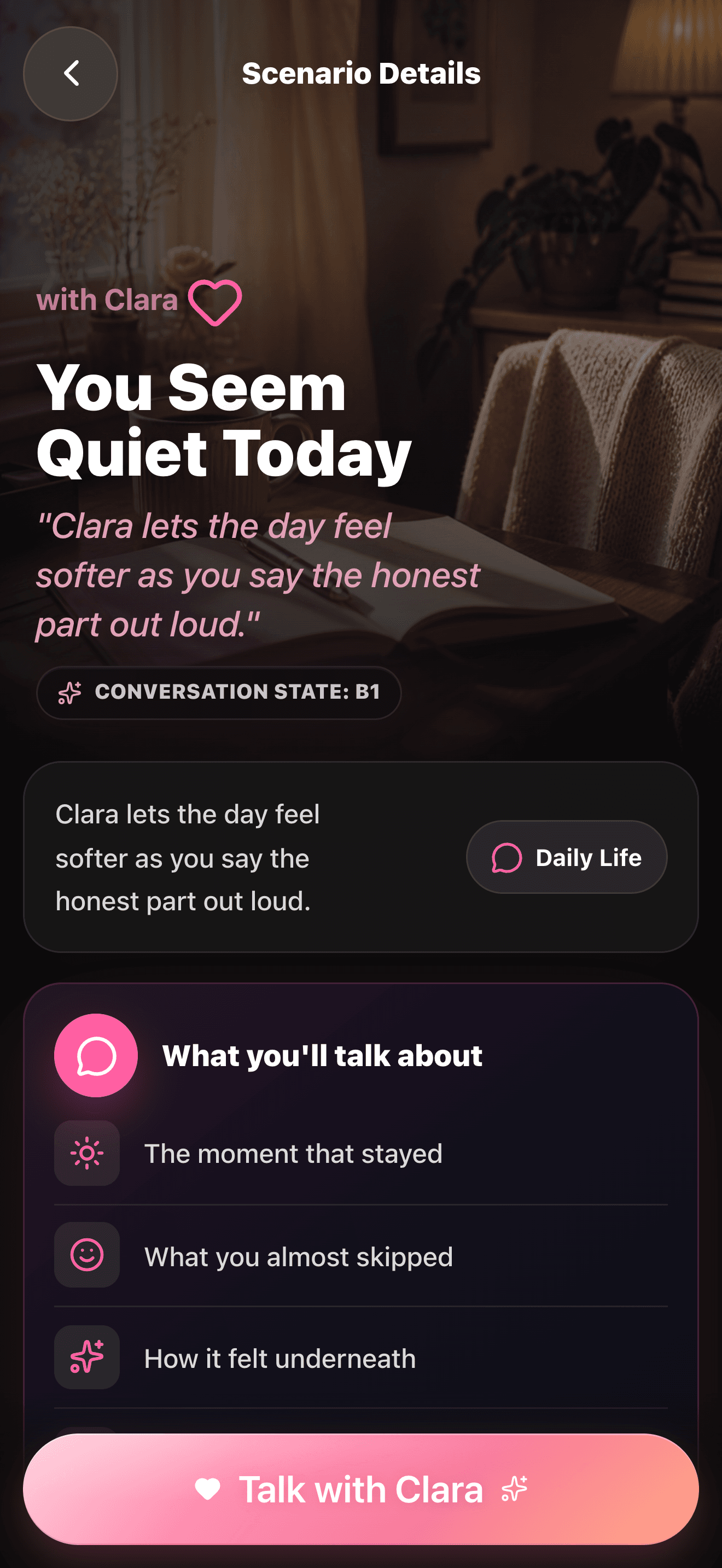
Scenario details help learners understand the speaking topic first.
Companion: What was one small thing that happened today? Learner: I went to work and felt tired, but I bought coffee. Companion: That sounds like a long day. Try saying: I felt tired after work, so I bought coffee on my way home.
Companion: What would you like to order? Learner: I want iced latte, medium. Companion: Nice. A smoother version is: I'd like a medium iced latte, please.
Companion: Tell me something you are worried about this week. Learner: I worry my English is bad. Companion: You can say: I'm worried that my English is not good enough, but I still want to practice.
FAQ
You can practice daily topics, simple roleplay, emotional expression, and short follow-up conversations with AI companions.
No. They are patterns you can adapt. The goal is to speak your own answer and improve it one sentence at a time.
Examples help learners understand the product and give search engines clearer evidence of what Sweetalk actually helps users practice.
More product proof
Speaking Scenarios
Sweetalk scenarios give learners a reason to speak. Each scene creates a specific situation, useful phrases, and a clear next reply.
View examplesCorrection Feedback Examples
Good feedback should improve one thing without making the learner stop. Sweetalk is designed around gentle, contextual improvements after voice practice.
View examples